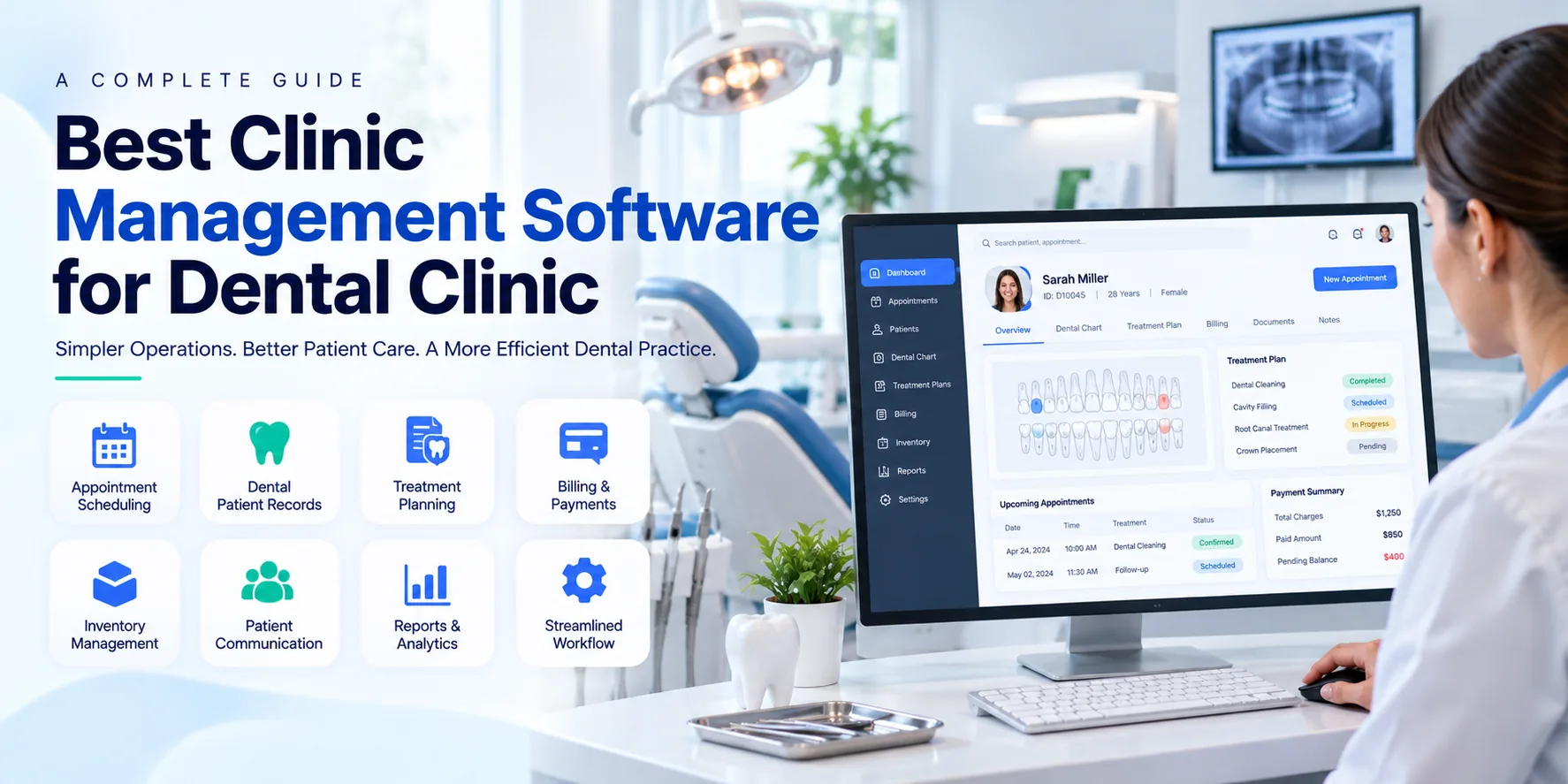
What Is Clinic Management Software for a Dental Clinic?
Clinic management software for a dental clinic is a digital platform that helps dentists and administrative staff manage clinical and administrative activities from one place. It can store patient information, organize appointments, maintain treatment records, manage payments, and generate operational reports.
Unlike a basic appointment booking tool, dental clinic management software can support the wider patient journey, from registration and consultation to treatment planning, billing, and follow up care.
For example, when a patient visits a dental clinic for a root canal consultation, the clinic can register the patient, record symptoms, document examination findings, schedule the next appointment, prepare a treatment plan, and manage billing through connected workflows.
A well selected system reduces repetitive administrative work and helps staff access relevant information when needed.
Why Do Dental Clinics Need Management Software?
Dental clinics often handle several appointments, procedures, and follow up visits in a single day. Paper records, spreadsheets, and separate billing tools can make it difficult to keep information organized.
Common challenges include:
- Missed appointments and scheduling conflicts
- Difficulty retrieving patient histories
- Incomplete dental treatment records
- Delays in preparing bills and tracking payments
- Limited visibility into pending treatments
- Difficulty managing dental supplies and consumables
- Time consuming administrative reporting
Dental clinic management software helps address these challenges by keeping important information organized within a centralized platform. Staff can spend less time managing paperwork and more time supporting patients.
Clinics looking for a broader digital solution can also explore Clinic Management Software to understand how centralized workflows can support everyday clinic operations.
Key Features of the Best Dental Clinic Management Software
The right software should match the clinic's clinical workflows, administrative requirements, and patient volume. The following features are particularly useful when evaluating a solution.
1. Digital Patient Records
Patient record management is one of the most important features of dental practice software. It allows clinics to maintain patient details, medical histories, allergies, consultation notes, treatment records, and relevant documents in digital form.
Dentists can review previous visits before starting a new consultation. This can help them understand the patient's history and maintain better continuity of care.
Useful capabilities include:
- Patient registration and demographic details
- Medical and dental history
- Clinical notes and examination findings
- Treatment history and prescriptions
- Document storage and retrieval
- Controlled access to patient information
Digital records should be protected through appropriate access controls, secure storage, and regular backups.
2. Dental Appointment Scheduling
Appointment scheduling software helps reception staff organize dentist availability, patient bookings, cancellations, and rescheduling.
A clear calendar can help staff identify available time slots and reduce scheduling conflicts. Automated reminders through supported communication channels may also help patients remember upcoming visits.
Important scheduling capabilities include:
- Daily, weekly, and monthly calendar views
- Dentist and chair availability
- Appointment confirmation and reminders
- Cancellation and rescheduling management
- Follow up appointment scheduling
- Visibility into upcoming patient visits
Clinics should check whether reminders can be customized and whether the system supports their preferred communication methods.
3. Dental Charting and Treatment Planning
Dental charting helps dentists record the condition of individual teeth and document clinical observations. Depending on the software, dentists may be able to mark tooth conditions, record procedures, and maintain treatment plans digitally.
Treatment planning can help organize proposed procedures, completed treatments, and future visits.
For example, a patient may require a dental cleaning, a filling, and a crown. The system should help the dental team document the planned procedures and track their status across visits.
Before selecting software, clinics should verify that its charting tools support the procedures and documentation methods used by their dental professionals.
4. Billing and Payment Management
Billing features help clinics prepare invoices, record payments, track outstanding balances, and maintain financial records.
A useful billing module should support clear itemized bills and allow staff to review payment status without searching through separate files.
Depending on the solution, features may include:
- Invoice generation
- Procedure based billing
- Payment and outstanding balance tracking
- Discounts and adjustments
- Receipts and financial reports
- Integration with supported accounting systems
Clinics should confirm whether the software supports local tax requirements, payment methods, and the financial reports needed for their location.
5. Patient Management and Follow Up
Patient management involves more than storing basic contact information. Dental clinics also need to maintain consultation histories, treatment progress, upcoming appointments, and follow up requirements.
A centralized patient management workflow helps staff access relevant details and coordinate visits more effectively.
Patient Management Software can provide further information about organizing patient information and supporting related administrative workflows.
For dental practices, it is important to confirm that the chosen system can accommodate dental specific records and treatment requirements rather than only general patient registration.
6. Inventory and Dental Supply Management
Dental procedures rely on materials and supplies such as gloves, masks, composite materials, anesthetics, sterilization products, and other consumables.
Inventory management features can help clinics monitor available stock, record usage, identify low stock levels, and track expiry dates where supported.
This can help reduce unexpected shortages and improve purchasing decisions.
Clinics should evaluate whether the software offers stock alerts, supplier records, inventory reports, and batch or expiry tracking where required.
7. Reports and Performance Tracking
Reporting tools help clinic owners and managers understand how the practice is operating.
Useful reports may cover appointment volumes, cancellations, patient visits, outstanding payments, revenue, and treatment activity.
These insights can help management identify operational issues and make informed decisions. For example, frequent appointment cancellations may indicate a need to review reminder processes or scheduling policies.
Reports should be easy to understand, relevant to the clinic's goals, and exportable where necessary.
Benefits of Dental Clinic Management Software
Implementing the right system can support both clinical coordination and administrative efficiency.
Better Organization
Digital records and centralized workflows make patient information easier to retrieve and reduce dependence on paper files.
More Efficient Appointment Handling
A shared scheduling system helps staff coordinate dentist availability, bookings, and follow up visits.
Improved Patient Experience
Clear appointment communication, organized records, and more efficient administrative processes can make clinic visits smoother for patients.
More Consistent Treatment Documentation
Digital notes and treatment tracking can help dental teams maintain organized records across multiple visits. Software supports documentation, but clinical decisions remain the responsibility of qualified dental professionals.
Greater Financial Visibility
Billing and reporting tools help clinic owners review payments, outstanding balances, and financial activity.
Support for Clinic Growth
As patient numbers increase, a suitable system can help the clinic manage additional appointments, users, and workflows without relying entirely on manual processes.
Actual results depend on software capabilities, staff training, implementation quality, and how consistently the system is used.
How to Choose the Best Clinic Management Software for a Dental Clinic
Choosing software based only on price or the number of features can lead to problems later. Clinics should evaluate the solution against their real operational requirements.
1. Identify Your Clinic's Needs
Start by listing the main problems the software must solve. A small dental practice may prioritize appointment scheduling, patient records, and billing. A multi dentist clinic may also require role based access, detailed reporting, and coordination across providers.
2. Check Dental Specific Features
Confirm whether the platform supports dental charting, treatment planning, procedure records, and follow up workflows. Do not assume that every general clinic management system includes these features.
3. Evaluate Ease of Use
Dentists and reception staff should be able to complete common tasks without unnecessary steps. Request a demonstration and test patient registration, appointment booking, clinical documentation, and billing.
4. Review Security and Privacy
Patient records contain confidential information. Ask about access permissions, encryption, backup procedures, audit logs, data retention, and recovery options.
The clinic should also confirm that the provider's practices meet the applicable healthcare privacy and data protection requirements in its jurisdiction.
5. Ask About Integration
Check whether the software can work with the tools the clinic already uses, such as accounting platforms, imaging systems, payment services, or communication tools.
Confirm which integrations are available, whether additional charges apply, and whether the integrations are included in the proposed plan.
6. Compare Total Cost
Review the full cost of ownership rather than only the advertised monthly price. Consider setup, training, data migration, support, integrations, additional users, and future subscription changes.
7. Assess Support and Scalability
Reliable support can be important when staff encounter technical issues. Clinics should also confirm whether the platform can accommodate additional dentists, locations, and users as the practice grows.
Dental Clinic Software vs General Clinic Management Software
| Feature | General Clinic Software | Dental Clinic Software |
|---|---|---|
| Patient registration | Commonly available | Commonly available |
| Appointment scheduling | Commonly available | Commonly available |
| Medical history | Often available | Useful for dental and medical history |
| Dental charting | May not be available | Important dental specific feature |
| Treatment planning | Depends on the platform | Should support dental procedures |
| Billing | Commonly available | Should support dental procedure billing |
| Dental supply tracking | Depends on the platform | Useful for dental consumables |
| Clinical reporting | Varies by solution | Should support relevant dental workflows |
The main difference is the depth of support for dental procedures. A general clinic platform may handle registration and scheduling well but may not offer specialized dental charting or treatment planning.
How Can AI Support Dental Clinic Management?
Artificial intelligence can support selected administrative and information management tasks when suitable features are available.
Potential applications include appointment demand forecasting, identifying scheduling patterns, assisting with routine documentation, and summarizing operational reports.
However, AI capabilities vary between software providers. Clinics should verify what is actually included, how patient data is processed, whether outputs require professional review, and what safeguards are in place.
AI should not replace a dentist's clinical judgment. Any AI supported clinical workflow must be evaluated for safety, reliability, privacy, and regulatory suitability.
Conclusion
The best clinic management software for a dental clinic should simplify patient administration while supporting the specific workflows involved in dental care. Patient records, appointment scheduling, dental charting, treatment planning, billing, inventory tracking, and reporting are important features to evaluate.
Before making a decision, dental practices should compare available features, check data security, assess usability, and understand the total cost of ownership. A well selected system can help staff coordinate daily activities, maintain organized records, and provide a more consistent patient experience.
The right choice is not necessarily the platform with the most features. It is the one that meets the clinic's actual needs, supports responsible handling of patient information, and remains suitable as the practice grows.