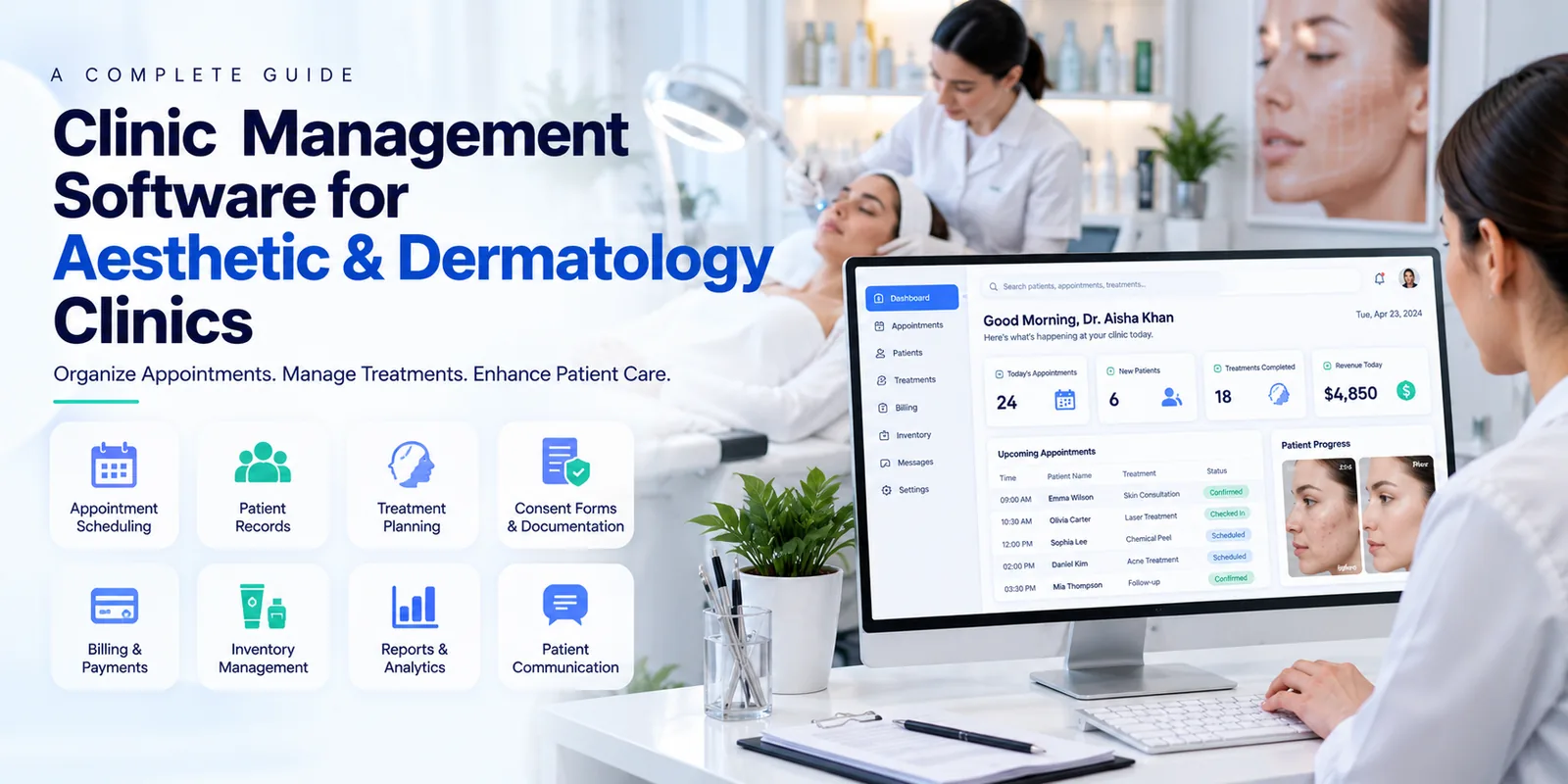
What Is Clinic Management Software for Aesthetic and Dermatology Clinics?
Clinic management software for aesthetic and dermatology practices is a digital system that supports clinical administration, patient coordination, appointment scheduling, treatment documentation, and billing.
Unlike basic scheduling tools, a comprehensive system can help manage the complete patient journey, from the first consultation to treatment planning, procedure documentation, payment, and follow up care.
For example, a patient visiting a dermatology clinic for acne treatment may need an initial consultation, a prescribed treatment plan, medication guidance, and a follow up appointment. The software can help staff maintain relevant records and coordinate the next steps.
Aesthetic clinics may also need to document cosmetic procedures, consent forms, treatment sessions, and patient progress. Suitable software helps organize these activities while allowing qualified healthcare professionals to remain responsible for clinical decisions.
Why Do Aesthetic and Dermatology Clinics Need Management Software?
Aesthetic and dermatology practices often handle multiple treatment types, practitioners, appointment schedules, and patient follow ups. When information is spread across paper files, spreadsheets, messaging applications, and separate billing systems, managing daily operations becomes more complicated.
Common challenges include:
- Difficulty retrieving previous consultation notes
- Missed appointments and scheduling conflicts
- Inconsistent documentation of treatment sessions
- Missing consent forms or incomplete patient records
- Difficulty coordinating follow up appointments
- Delays in billing and payment tracking
- Limited visibility into practitioner schedules and clinic performance
- Difficulty monitoring treatment supplies and consumables
Clinic management software brings relevant information together, helping staff coordinate administrative activities and maintain organized patient records.
Clinics evaluating digital solutions can review Clinic Management Software to understand how centralized workflows can support everyday healthcare operations.
Key Features of Clinic Management Software for Aesthetic and Dermatology Clinics
The best software should support the clinic's actual services, patient workflows, and administrative requirements. These features are particularly important when evaluating a platform.
1. Digital Patient Records and Medical History
Patient records are essential for both dermatology consultations and aesthetic treatments. A digital system helps staff maintain patient information, consultation notes, relevant medical history, allergies, prescriptions, and previous treatment details.
For dermatologists, this information can support continuity between consultations. For aesthetic practitioners, it can help organize records of previous procedures and documented patient concerns.
Useful capabilities include:
- Patient registration and contact information
- Medical and dermatological history
- Consultation notes and examination findings
- Prescription and treatment records
- Uploaded documents and relevant images
- Searchable patient histories
- Role based access to confidential information
For skin conditions that require ongoing monitoring, clinicians may also need to document changes over time. Clinics should verify whether the software supports clinical photography, image comparison, and appropriate consent management before relying on it for these workflows.
2. Appointment Scheduling and Calendar Management
Appointment scheduling software helps reception teams manage consultations, treatment sessions, cancellations, and rescheduling.
Aesthetic and dermatology clinics may offer different appointment types with different durations. A routine skin consultation, laser session, and cosmetic procedure may require different time slots and room arrangements.
A suitable scheduling system should support:
- Practitioner availability
- Appointment types and durations
- Daily, weekly, and monthly calendars
- Cancellation and rescheduling workflows
- Appointment reminders
- Follow up visit scheduling
- Room or equipment availability, where supported
Automated reminders can help patients remember upcoming visits and reduce avoidable scheduling gaps.
Clinics can also explore Appointment Scheduling Software to learn more about managing bookings and appointment workflows.
3. Treatment Planning and Procedure Documentation
Treatment planning is particularly important for clinics that provide multiple sessions for the same patient.
For example, a patient receiving laser treatment may require an initial assessment, several sessions, and periodic reviews. A well organized system can help staff document completed sessions and schedule future visits.
For dermatology practices, treatment records may include clinical findings, prescriptions, care instructions, and follow up requirements.
For aesthetic practices, documentation may include the procedure performed, treatment date, relevant product details, consent records, and post procedure instructions, depending on the clinic's requirements and the software's capabilities.
The software should make it easy for authorized users to review previous records and document new information accurately.
4. Consent Forms and Patient Documentation
Consent and documentation workflows are important for aesthetic procedures and dermatological treatments.
Depending on the service provided, clinics may need to maintain signed consent forms, patient declarations, treatment information, photographs, and aftercare instructions.
Digital documentation features can help staff organize these records and retrieve them when required.
Before selecting software, clinics should check whether it supports electronic signatures, document uploads, consent templates, timestamps, and access logs. They should also confirm that its documentation workflows meet applicable legal and professional requirements.
Digital consent management supports documentation, but it does not replace the need for meaningful patient communication and informed consent.
5. Billing, Payments, and Treatment Packages
Aesthetic and dermatology clinics may charge for consultations, procedures, follow up visits, products, or multiple session packages.
Billing software helps staff prepare invoices, record payments, monitor outstanding balances, and maintain financial reports.
Useful features may include:
- Consultation and procedure billing
- Itemized invoices and receipts
- Payment status tracking
- Discounts and adjustments
- Package or prepaid session tracking
- Financial summaries
- Integration with supported payment systems
Clinics offering treatment packages should verify that the system can track purchased sessions, completed treatments, and remaining sessions accurately.
Clear billing records help staff answer patient questions and support day to day financial management.
6. Patient Communication and Follow Up Management
Communication often continues after the patient leaves the clinic. Patients may need appointment reminders, follow up instructions, treatment reviews, or information about future visits.
Clinic management software can help staff organize these interactions through supported communication and follow up features.
For example, after a dermatology consultation, staff may schedule a review appointment. Following an aesthetic procedure, the clinic may need to provide approved aftercare instructions and arrange a follow up assessment.
Useful capabilities include appointment notifications, follow up task tracking, communication history, and reminders for pending visits.
Patient communication should respect privacy preferences and applicable consent requirements. Automated messages should avoid exposing sensitive medical information through insecure channels.
7. Inventory and Product Management
Many aesthetic and dermatology clinics use skincare products, dressings, disposable supplies, treatment consumables, and other clinical materials.
Inventory management can help clinics monitor stock levels, record product usage, and identify supplies that need replenishment.
Depending on the platform, useful features may include:
- Stock level monitoring
- Low stock notifications
- Supplier records
- Purchase tracking
- Batch and expiry date monitoring
- Product usage reports
For clinics that use regulated medicines or medical products, inventory procedures should also follow applicable storage, traceability, and record keeping requirements.
8. Reports and Clinic Performance Analytics
Reporting tools help clinic owners understand how the practice operates and where administrative improvements may be needed.
Useful reports may cover appointment volumes, cancellations, patient visits, practitioner schedules, revenue, outstanding payments, and treatment activity.
For example, appointment reports can help managers identify periods of high demand. Financial reports can support budgeting, while treatment activity reports can help clinics plan staffing and resources.
The software should provide reports that are easy to understand and relevant to the clinic's business goals. Reporting capabilities vary, so clinics should confirm which metrics and export options are available.
Benefits of Clinic Management Software for Aesthetic and Dermatology Practices
The right platform can support both patient coordination and administrative efficiency.
- More organized patient information — Digital records make it easier for authorized staff to locate relevant consultation and treatment details.
- Better appointment coordination — Shared calendars help teams manage bookings, practitioner availability, and follow up visits.
- Consistent treatment documentation — Organized records support continuity across consultations and multiple treatment sessions.
- Smoother administrative workflows — Centralized billing, registration, and scheduling can reduce repetitive data entry.
- Improved patient communication — Reminders and follow up workflows help clinics maintain contact with patients through approved channels.
- Better operational visibility — Reports help management review workload, financial activity, appointment trends, and resource requirements.
- Support for clinic growth — A suitable platform can help practices manage increasing patient volumes and additional practitioners as their needs change.
Actual benefits depend on implementation, staff training, software capabilities, and how consistently the clinic follows its workflows.
How to Choose the Best Clinic Management Software for Aesthetic and Dermatology Clinics
Before selecting a platform, clinic owners should assess their services, patient volume, budget, and documentation requirements.
1. List Your Clinical and Administrative Requirements
Identify the services the clinic provides, such as dermatology consultations, acne management, laser treatments, cosmetic procedures, or skin care consultations.
List the workflows that need the most attention. A small dermatology practice may prioritize patient records and appointments, while a multi practitioner aesthetic clinic may also require treatment package tracking, consent documentation, and detailed reporting.
2. Verify Relevant Treatment Features
Confirm that the software supports the clinic's specific documentation needs. Ask for a demonstration of treatment planning, procedure records, consent management, and follow up workflows.
Do not assume every general clinic system includes features designed for aesthetic procedures or dermatological care.
3. Evaluate Ease of Use
The software should be practical for reception staff, practitioners, and clinic managers. Test common tasks such as registering a patient, scheduling a consultation, documenting a procedure, and preparing an invoice.
A clear interface can make staff training easier.
4. Review Security and Data Privacy
Patient records, medical histories, and clinical photographs require careful handling.
Ask the provider about access controls, encryption, backup procedures, audit logs, data retention, and recovery options. Confirm that its privacy and security practices meet the healthcare requirements applicable to the clinic's location.
5. Check Integrations and Scalability
Review whether the platform works with the clinic's existing tools, such as accounting software, payment systems, communication services, or supported clinical devices.
Also consider whether it can support additional practitioners, users, or locations as the business grows.
6. Compare Total Cost and Support
Review subscription fees, setup charges, data migration, staff training, integrations, and ongoing support costs.
Ask about technical assistance, onboarding, system updates, and the process for exporting patient records if the clinic changes providers in the future.
Conclusion
Clinic management software for aesthetic and dermatology clinics helps organize patient records, appointments, treatment plans, consent documents, billing, inventory, and follow up activities in one system.
When evaluating a platform, clinic owners should focus on features that match their services, ease of use, patient data security, treatment documentation, reporting, and total cost.
The most suitable solution is one that supports the clinic's daily workflows while helping staff maintain organized records and consistent patient communication. With appropriate implementation and staff training, digital clinic management can support more efficient operations and a smoother patient experience.