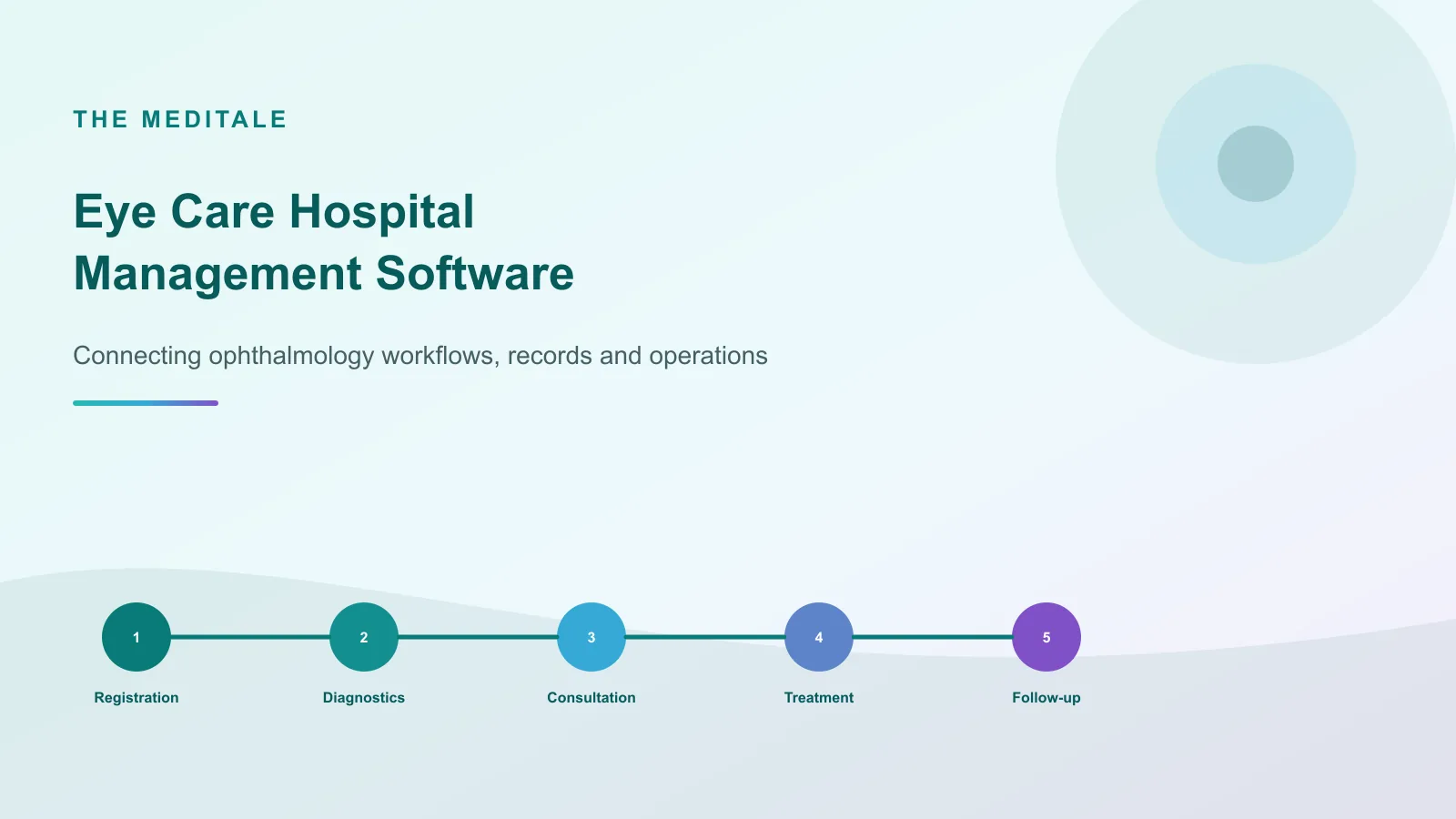
1. Why Eye Hospitals Need Specialised Digital Management
A general hospital information system can handle routine processes, but ophthalmology has documentation requirements that deserve attention. A patient may move from registration to preliminary assessment, refraction, imaging, consultation and billing in one visit. If each step uses a disconnected record, staff may need to re-enter information or search across multiple systems.
- Fragmented patient information: notes, diagnostic reports and images may be stored in different locations.
- Repeated data entry: staff may enter demographic or visit details more than once.
- Appointment bottlenecks: consultation slots, diagnostic rooms and procedure schedules need coordination.
- Longitudinal monitoring: glaucoma, diabetic retinopathy and other conditions may require repeated measurements.
- Procedure coordination: pre-operative assessment, consent, surgery scheduling and post-operative reviews must be tracked.
- Multi-location complexity: patients may visit different branches while expecting their care history to remain accessible.
Software cannot replace clinical judgement. Its role is to make information easier to capture, retrieve and coordinate so the care team can focus on assessment and treatment.
2. What Is Eye Care Hospital Management Software?
Eye care hospital management software is a digital platform used to coordinate the administrative, financial and clinical activities of an ophthalmology hospital or clinic. Depending on the product, it may combine a hospital management system (HMS), electronic medical records (EMR), appointment management, billing, pharmacy, laboratory workflows and patient communication tools.
A useful solution should support two connected layers:
- Hospital operations: registration, scheduling, queue management, billing, insurance workflows, inventory, staff coordination and reports.
- Ophthalmology documentation: eye-specific examination fields, longitudinal measurements, diagnostic reports, images and procedure-related records.
These layers should work together without assuming every general-purpose EMR includes specialist eye-care functions. Ask vendors to demonstrate the actual fields, workflows and integrations available in the version being offered.
3. How an Eye Hospital Management System Works
A typical patient journey may involve several teams. A connected system helps staff understand the current stage of the visit and gives authorised users access to relevant information.
Registration and appointment check-in
Front-desk staff create or retrieve the patient profile, confirm contact information and record the reason for the visit. Appointment management can help teams handle scheduled visits, walk-ins, cancellations and rescheduling.
Preliminary assessment and diagnostics
Depending on the care pathway, technicians may record visual acuity, refraction, intraocular pressure and other examination results. Diagnostic reports and images should be linked to the correct patient and encounter.
Consultation, treatment and follow-up
The ophthalmologist reviews the available history and findings, documents the assessment and records the treatment plan. The system can then support billing, prescription workflows and follow-up scheduling. A longitudinal record helps the care team compare findings across visits.
4. Essential Features to Evaluate
Patient registration and unified records
A central patient record should reduce duplicate profiles and make previous visits easier to retrieve. Look for patient search, demographic management, visit history, document attachments and role-based access. For multi-branch providers, confirm how records are shared and how duplicate records are reconciled.
Ophthalmology-focused EMR documentation
Assess the actual eye-care information clinicians need to record. Examples include visual acuity with testing conditions and notation, refraction details, intraocular pressure with measurement method and time, slit-lamp findings, fundus examination and diagnostic reports. Confirm that these are structured fields where appropriate rather than only free-text notes.
Diagnostic history and image access
Eye care may involve OCT, fundus photography, fluorescein angiography, visual field testing, optical biometry, corneal topography and ultrasound. The system should make clear how reports and images are attached, viewed, retrieved and shared. Direct device integration is a separate technical capability and should be demonstrated rather than assumed.
Appointment, queue and resource management
Scheduling should account for clinicians, departments, branches and, where relevant, diagnostic rooms or procedure resources. Queue and token features can help staff see patient progress. Automated reminders may reduce missed appointments, but effectiveness should be measured using the hospital's own data.
Pharmacy, laboratory and billing workflows
Where these services are part of the facility, integration can connect prescriptions, investigations, charges and patient billing. Evaluate support for OPD and IPD billing, payment modes, insurance or TPA workflows, refunds, advances and financial reports.
Cataract surgery and procedure coordination
Procedure workflows may include pre-operative assessment, investigations, consent, scheduling, operative documentation and post-operative follow-up. Cataract pathways may also involve biometry and intraocular lens planning. Confirm that any claimed surgical module supports the hospital's actual workflow.
Patient communication and follow-up
Patient portals, appointment reminders and digital communication can help people access visit information and stay informed about upcoming reviews. Check consent, language support, communication preferences and how messages are recorded.
Reporting and multi-location oversight
Management reports may cover appointment volumes, waiting times, cancellations, revenue, service utilisation and follow-up activity. Multi-location organisations should confirm whether reports can be filtered by branch, specialty, clinician and date range.
5. General EMR vs Ophthalmology-Specific EMR
A general EMR may be suitable for patient demographics, notes, prescriptions and billing. An ophthalmology-focused EMR should also be evaluated for the structure and continuity of eye examination data.
| Evaluation area | General EMR | Ophthalmology-focused EMR |
|---|---|---|
| Clinical notes | General consultation templates | Eye examination templates and specialty documentation |
| Visual acuity | May be entered as free text | Structured values, notation and testing conditions where supported |
| IOP and examination | Generic observation fields | Method, time and eye-specific examination details |
| Diagnostics | Attachments or generic reports | Organised ophthalmic reports and image workflow; device integration must be verified |
| Longitudinal review | Visit-by-visit notes | Comparison of relevant eye measurements across visits |
| Procedures | General procedure records | Specialty-specific pre-operative, operative and follow-up workflow where available |
6. Diagnostic Equipment Integration: What to Check
Diagnostic equipment can produce valuable information, but integration needs technical planning. List the devices used by the hospital and identify how each exports data. Some systems may support standards-based exchange; others may rely on PDF reports, image export or a vendor-specific interface.
- Can the device send images or reports directly, or must staff upload them?
- How does integration match a result to the correct patient and visit?
- Are image formats, metadata and viewing tools supported?
- Can authorised clinicians access historical results across branches?
- What happens when a device connection fails?
- Are access and changes logged for audit purposes?
DICOM and the IHE Eye Care technical framework are relevant standards and workflow references. Their mention does not mean a particular product is automatically compliant. Request evidence of the exact profiles, transactions and devices supported.
7. Supporting Cataract Surgery and Procedure Workflows
Cataract services involve multiple steps before and after the operation. A management platform can help teams coordinate appointments, investigations, documentation, billing and follow-up. Clinical planning itself remains the responsibility of qualified professionals.
Confirm whether consent forms, surgical checklists, operative notes, IOL details and post-operative templates are available in the product. Do not assume a general appointment or billing module includes a complete ophthalmic operating-theatre workflow.
8. How Digital Workflows Can Help Eye Hospitals
- Less repeated administration: shared patient and appointment information can reduce avoidable re-entry.
- Better information continuity: authorised teams can refer to prior notes and results when records are properly linked.
- More visible patient flow: queue and appointment status can help staff identify where a visit is delayed.
- Coordinated follow-up: reminders and scheduled reviews can support continuity for patients needing ongoing monitoring.
- Operational reporting: managers can review activity and identify process bottlenecks.
- Consistent processes across branches: shared workflows can support standardisation while allowing approved local differences.
These are potential operational benefits, not guaranteed results. Outcomes depend on configuration, staff adoption, data quality, integration and existing processes. Establish baseline measures before implementation and compare them after rollout.
9. KPIs to Monitor After Implementation
Choose measures that reflect the hospital's priorities. Definitions should remain consistent across reporting periods and branches.
| KPI | What it helps assess | Example definition |
|---|---|---|
| Appointment utilisation | Use of consultation capacity | Booked or completed slots ÷ available slots × 100 |
| Average waiting time | Patient flow | Average time from check-in to consultation start |
| No-show rate | Missed appointments | Missed appointments ÷ scheduled appointments × 100 |
| Diagnostic turnaround | Investigation reporting timeliness | Average time from test completion to report availability |
| Follow-up adherence | Completion of planned reviews | Completed follow-ups ÷ follow-ups due × 100 |
| Billing cycle time | Billing completion efficiency | Average time from bill initiation to closure |
Appointment utilisation (%) = (Booked appointment slots ÷ Total available appointment slots) × 100
Define how cancelled slots, emergency visits, blocked clinician time and walk-ins are treated before comparing performance.
10. How to Choose the Right Eye Care Management Software
- Map the complete patient journey at each facility before evaluating vendors.
- Ask ophthalmologists and technicians to validate clinical templates and measurements.
- Check whether visual acuity, refraction, IOP and examination details are structured and searchable.
- List every diagnostic device and verify integration method, supported formats and limitations.
- Review appointment, queue, billing, pharmacy and laboratory workflows.
- Confirm whether cataract and other procedure workflows are included or need separate configuration.
- Evaluate role-based permissions, audit logs, backup, data export and security practices.
- Check interoperability options, including relevant HL7 or FHIR interfaces and DICOM workflows where required.
- Review implementation support, staff training, migration and ongoing service arrangements.
- Run a pilot using realistic scenarios and agreed acceptance criteria.
Ask how the organisation can retrieve its data if it changes providers. Data portability, clear contractual terms and a documented exit process matter in a long-term software decision.
11. How MediTale Can Support Eye-Care Operations
MediTale publishes hospital and clinic management capabilities covering several operational areas relevant to eye-care providers. Its clinic management information lists ophthalmology clinics among the specialties it serves. Published capabilities include patient management, appointment scheduling, EMR documentation, billing, pharmacy and laboratory workflows, patient communication and reporting.
For an eye hospital, these capabilities can form part of a connected operational foundation. Patient registration and appointment management can support front-desk workflows; EMR and patient history features can help organise clinical documentation; and billing, pharmacy and laboratory workflows can connect relevant administrative activities.
Explore the relevant product areas:
- Clinic management software for clinic operations and multi-branch workflows.
- EMR software for electronic patient records and clinical documentation.
- Patient management software for patient information and care administration.
- Appointment management software for scheduling and appointment workflows.
- Hospital billing software for billing and financial workflows.
Use your own clinical and operational requirements as the acceptance checklist. A product demonstration should show the real screens, supported integrations, permissions and reports included in the proposed deployment.
Planning a Connected Digital Workflow for Your Eye-Care Facility?
Review your clinical, administrative and diagnostic requirements before choosing a platform. Speak with the MediTale team to understand which published capabilities match your workflows and which specialist requirements need further validation.
Visit MediTaleEditorial note: This article is for healthcare technology planning and operational information. It is not clinical guidance. Software capabilities, integrations and regulatory obligations should be verified with relevant vendors and qualified professionals before procurement or implementation.