1. What Is Laboratory Management Software?
Laboratory management software is a digital system that helps laboratories manage test requests, patient and specimen information, laboratory workflows, test results and reports. In clinical laboratories, this type of software is commonly associated with a Laboratory Information System (LIS).
A laboratory may use the software to:
- Receive test requests from doctors, hospital departments or external collection centres.
- Register patients and associate them with the correct laboratory orders.
- Record specimen collection and receipt details.
- Track samples through different processing stages.
- Organise tests and laboratory work.
- Record or receive test results.
- Manage result review and report generation.
- Share reports with authorised doctors and patients.
- Maintain historical laboratory information.
The exact functions depend on the software and its configuration. A basic laboratory module may focus on sample tracking and report generation, while a specialised LIS may include test management, analyser connectivity, quality control and laboratory inventory functions.
The important point is that laboratory software connects information to the physical specimen and the test being performed. It helps staff understand what needs to be tested, what has already happened and what remains pending.
2. LIS vs LIMS vs Laboratory Module in Hospital Management Software
The terms LIS, LIMS and laboratory management software are sometimes used interchangeably. However, they can describe systems with different purposes.
| System | Main purpose | Common use |
|---|---|---|
| Laboratory Information System (LIS) | Manages clinical laboratory orders, specimens, test results and reporting | Hospital laboratories and diagnostic centres |
| Laboratory Information Management System (LIMS) | Manages samples, testing workflows, data and laboratory processes | Research, industrial, quality control and other testing laboratories |
| Laboratory module in an HMS | Connects laboratory activities with wider hospital operations | Multispecialty hospitals and healthcare facilities |
An LIS is generally centred on clinical laboratory workflows. It helps connect patient details, test orders, specimens and diagnostic reports. A LIMS may be used in environments where sample management, batch processing, research data, product testing or quality control are central requirements. A hospital management system may include a laboratory module that connects test requests and reports with patient records, doctors and other hospital departments.
There is some overlap between these systems. Their actual capabilities matter more than the label used by the vendor. A laboratory should evaluate the functions it needs rather than assume that every product described as an LIS or LIMS offers the same workflow.
3. How Does Laboratory Management Software Work?
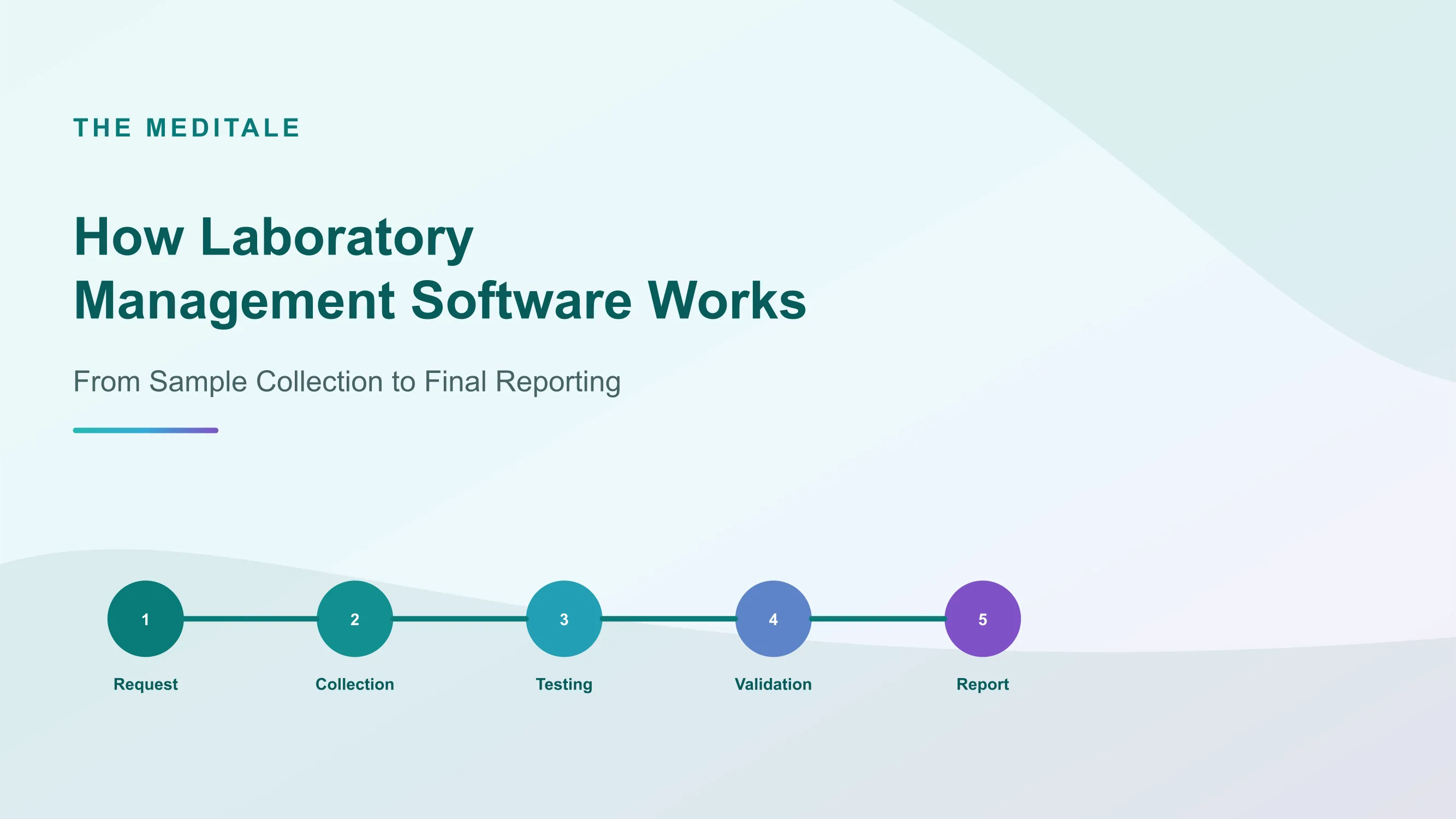
The simplest way to understand laboratory management software is to follow a test request through the laboratory. Consider a patient visiting a hospital for a blood test. The doctor requests a complete blood count. The request must reach the laboratory, the correct specimen must be collected and identified, the test must be performed, the result must be reviewed and the report must be made available.
Step 1: Test request and patient registration
The process starts when a test is requested. In a hospital, a doctor may order an investigation during a consultation. The request may be created through an electronic medical record or hospital information system. In a standalone diagnostic centre, a request may come from a walk-in patient, a referring doctor or an external healthcare provider.
The laboratory needs information such as patient name and unique identification number, age and relevant demographics, referring doctor or department, test name and code, request date and time, priority where applicable, and collection instructions. The software associates the test request with the correct patient record.
This connection is important. If patient details and the test request are not correctly matched, the laboratory may face problems when receiving the specimen, recording results or issuing the report.
Step 2: Sample collection and identification
After the test request is created, the required specimen is collected. Different investigations require different specimen types, including blood, urine, stool, swabs, sputum, tissue specimens and other body fluids.
The laboratory must identify the specimen and associate it with the correct patient and requested investigation. A unique specimen identifier can help maintain this relationship. Some laboratory systems support barcode-based identification, although barcode printing and scanning must be confirmed with the software provider.
The record may include collection date and time, specimen type, collection location and the person responsible for collection. This information becomes useful when investigating delays, checking sample suitability or tracing a specimen that has not reached the laboratory.
Step 3: Specimen receipt and accessioning
Once collected, the specimen is transported to the laboratory or its designated receiving area. Laboratory staff check it against the test request. They may verify patient and specimen identification, requested investigation, specimen type, collection and receipt details, container and labelling, sample condition and any test-specific handling requirements.
The laboratory records whether the specimen has been accepted, placed on hold or rejected according to its procedures. For example, a specimen with an identification mismatch may need investigation before processing. A sample that does not meet acceptance criteria may require recollection.
Accessioning is the process of formally registering a received specimen within the laboratory workflow. It gives the sample a traceable identity within the system.
Step 4: Sample processing and test allocation
After specimen receipt, the laboratory determines how the requested investigation will be processed. A laboratory may have different sections for haematology, clinical biochemistry, microbiology, serology, immunology or other testing services.
| Investigation | Laboratory section | Example workflow |
|---|---|---|
| Complete blood count | Haematology | Blood sample processing and cell analysis |
| Liver function test | Clinical biochemistry | Serum or plasma testing |
| Urine routine examination | Clinical pathology | Physical, chemical and microscopic examination |
| Culture and sensitivity | Microbiology | Culture processing and organism identification |
| Thyroid profile | Immunoassay or biochemistry | Measurement of relevant hormone markers |
The exact department and method depend on the laboratory's equipment, test menu and procedures. A laboratory worklist can help staff identify tests that are pending, being processed or require attention.
Step 5: Laboratory testing and analyser connectivity
This is the analytical stage, where the specimen is examined using the laboratory's approved methods. Depending on the investigation, laboratory staff may use automated analysers, specialised equipment or manual procedures.
There are two common ways for test results to enter a laboratory information system:
- Manual result entry: authorised staff enter the result after performing the test or reviewing the instrument output.
- Electronic analyser interface: a compatible analyser sends result data to the laboratory system through a configured interface.
Electronic connectivity can reduce repeated data entry, but it requires compatible equipment, interfaces and configuration. Having an analyser in the laboratory does not automatically mean it is connected to the LIS. Before selecting software, ask vendors which equipment models and communication methods are supported.
Step 6: Result entry, review and quality control
A test being completed does not always mean its result is ready for release. The result may need to be checked according to laboratory procedures. Depending on the test, this may involve reviewing instrument flags, checking quality control status, comparing findings with relevant reference intervals or requesting additional review.
Quality control is a laboratory responsibility. Software can support the recording and review of quality information when the relevant functions are available, but it does not replace laboratory procedures or professional judgement.
A well-defined result workflow should make it clear whether the result has been entered or received, whether it is pending review, whether additional investigation is required, whether an authorised person has validated it and whether the report has been released.
Critical or urgent findings must be communicated according to the laboratory's approved escalation process. The laboratory should define who is responsible for notification, how communication is documented and what action is taken if the intended recipient cannot be reached. Do not assume every LIS automatically detects or communicates critical results.
Step 7: Report generation and delivery
After the required review and authorisation, the laboratory report can be generated. A report may include patient identification, laboratory details, test name, specimen information, result and units, reference intervals where applicable, collection or testing date, authorised reviewer details and report status.
The report may be made available to the referring doctor, hospital department or patient through the laboratory's configured delivery process. In a hospital, it may be linked with the patient's medical record. In a diagnostic centre, it may be shared through a patient portal, printed copy, secure digital channel or another approved method.
Step 8: Result storage and retrieval
Once released, the result becomes part of the patient's laboratory history. This is useful when a patient returns for another consultation or repeat investigation. The doctor may need to compare current results with earlier reports.
For the laboratory, historical records can support report retrieval, operational analysis and investigation of corrections or queries. Retention periods, backup, access rights and data export options should be checked against legal and operational requirements.
4. The Three Main Phases of Laboratory Workflow
Laboratory information systems commonly organise testing around three broad phases: pre-analytical, analytical and post-analytical. These phases show that laboratory work starts before the actual test and continues after the instrument or technician has produced a result.
Pre-analytical phase: Everything before testing
This phase covers test ordering, patient identification, specimen collection, labelling, transportation, laboratory receipt, specimen acceptance or rejection, and sample preparation and routing. A correctly performed test cannot correct a specimen that was collected incorrectly or associated with the wrong patient.
Analytical phase: Performing the investigation
The analytical phase covers test allocation, worklist management, sample preparation, instrument processing, manual testing, result capture, quality control and technical review. Software helps maintain the connection between the specimen, requested test and resulting data.
Post-analytical phase: Reviewing and reporting
The post-analytical phase includes result review, validation, report preparation, authorisation, critical-result communication, report delivery and result storage.
5. How Laboratory Software Supports Hospitals and Diagnostic Centres
Hospital laboratories and standalone diagnostic centres share many laboratory processes, but their wider operational needs can differ.
For hospital laboratories
A hospital laboratory is part of a larger healthcare environment. It may receive requests from outpatient departments, inpatient wards, emergency services, operation theatres and specialist departments.
- Connect test requests with hospital patient records.
- Receive orders from doctors and departments.
- Manage routine and urgent investigations.
- Link reports with the patient's medical history.
- Coordinate laboratory billing with hospital accounts.
- Make authorised reports available to treating doctors.
- Support laboratory activity across hospital locations where configured.
For example, a doctor may request a test during an outpatient consultation. The laboratory receives the request, processes the specimen and releases the report. The doctor then reviews the result during the patient's next consultation. A connected workflow can keep the test request and final result associated with the same patient record.
For standalone diagnostic centres
A diagnostic centre may receive patients directly as well as through referring doctors, clinics or collection partners. Its operational needs may include:
- Registering walk-in and referred patients.
- Managing test orders and collection details.
- Recording specimens received from collection points.
- Tracking samples sent to another processing location.
- Managing pending and completed reports.
- Sharing reports with patients and referring doctors.
- Reviewing test volumes and turnaround time.
A centre with multiple collection locations may need to identify which specimens have been collected, which have reached the processing laboratory and which reports remain pending. Confirm that the selected system supports the required collection-centre and sample movement workflows.
6. How Does Laboratory Software Integrate with EMR, HMS and Analysers?
A laboratory system becomes more useful when it can exchange information with other systems used by the healthcare organisation.
The most relevant connections include:
- Electronic Medical Record (EMR): may provide patient information and clinical context. Laboratory results may be made available in the patient's electronic record.
- Hospital Management System (HMS): can connect laboratory activities with registration, appointments, billing and other hospital operations.
- Laboratory analysers: compatible equipment may transmit results to the LIS through configured interfaces.
- Doctor interface: allows authorised clinicians to review released reports.
- Patient communication tools: may provide reports or notifications through configured channels.
Interoperability standards such as HL7 and FHIR can support exchange of healthcare information between systems. DICOM is relevant in medical imaging, but should not be treated as a universal laboratory analyser integration standard. The exact interface depends on the systems involved, the data being exchanged and the technical configuration.
Before implementation, ask vendors to demonstrate a complete example: a test request created in the clinical system, received by the laboratory, processed, reported and made available to the doctor.
7. Sample Tracking and Laboratory Turnaround Time
One practical reason laboratories use information systems is to maintain visibility of specimen status. A sample may pass through several stages:
- Collected.
- Dispatched to the laboratory.
- Received.
- Accepted or placed on hold.
- Assigned for processing.
- Testing in progress.
- Result pending review.
- Report released.
The status names and workflow differ between laboratories. What matters is that staff can identify the current state and the next required action.
This can help answer operational questions: Which specimens have not reached the laboratory? Which samples are awaiting processing? Which tests are still pending? Which results require review? Which reports have not been released? Where are delays occurring?
Turnaround time (TAT) is another important measure. A laboratory should define exactly when the clock starts and stops. For example, a centre may measure routine test turnaround time from specimen receipt to report release. Another may measure from collection to report delivery. These are different measurements.
Average turnaround time = Total time taken for completed tests ÷ Number of completed tests.
Laboratories can review turnaround time by test category, priority, department, location or time period where the data is available. The purpose is to identify where the process is slowing down and investigate the reason.
8. Quality Control, Traceability and Report Corrections
Laboratory quality depends on defined procedures, trained staff, suitable equipment and appropriate review. Software can support these activities by keeping relevant information organised and traceable.
Depending on the system, useful capabilities may include recording test and specimen information, maintaining user activity records, recording result review and approval, storing report versions, documenting corrections, recording quality control information and managing authorised access.
Consider a situation where a report needs correction after release. The laboratory should have a defined procedure for reviewing the issue, authorising the change and communicating the corrected report. The record should make it possible to understand what changed, when it changed and who authorised the correction, in line with laboratory policies.
Similarly, a system should not silently overwrite an earlier report if the laboratory needs to preserve the history of an amendment. These capabilities should be checked in the actual product demonstration. A general claim of audit tracking does not prove that every type of laboratory event is recorded.
9. Laboratory Inventory and Reagent Management
Laboratory operations depend on the availability of reagents, test kits, consumables and other supplies. A stock shortage can interrupt testing. Expired materials can create waste and may affect the laboratory's ability to use supplies according to approved requirements.
Laboratory inventory management may cover reagent and consumable records, supplier information, stock received and issued, batch or lot details, expiry dates, minimum stock levels, and purchase and replenishment records.
A laboratory should also define how it manages stock rotation. First Expiry, First Out (FEFO) is a useful inventory principle: materials with the earliest expiry date are prioritised for use, subject to suitability and laboratory procedures.
Inventory functionality varies by product. Confirm whether it supports laboratory-specific items, batch tracking, expiry alerts and consumption records, or whether a separate inventory application is required.
10. Practical Example: Following a Blood Test Through Laboratory Software
Consider a patient who visits a diagnostic centre for a complete blood count.
- At registration: The centre records the patient's details and creates the test order.
- At collection: A blood specimen is collected and associated with the patient's order. Collection details are recorded.
- At laboratory receipt: Staff receive the specimen and verify its identification and suitability.
- During processing: The sample is assigned to the appropriate testing workflow and processed using the required method.
- At result capture: Results are entered into the system or received electronically if a compatible analyser interface is configured.
- During review: The authorised laboratory professional reviews the result according to the centre's procedures.
- At reporting: The system generates the report after the required authorisation.
- At delivery: The report is made available to the patient or referring doctor through the centre's approved process.
At every stage, the system helps maintain the relationship between the patient, test request, specimen and report. If the sample is rejected, the laboratory needs to record the reason and follow its recollection process. If the result requires further review, it should remain in the appropriate status until the authorised process is complete.
This is the practical value of laboratory management software: it provides a structured record of what happened to the test, rather than only storing the final report.
11. How MediTale's Lab Information System Fits into Hospital Operations
MediTale presents a Lab Information System as part of its wider healthcare solutions. Its published website specifically lists three capabilities: sample tracking, report generation and doctor integrations.
Sample tracking relates to maintaining visibility of specimens as they move through laboratory activities. Report generation relates to preparing laboratory reports from information recorded during testing and review. Doctor integrations relate to making laboratory information available within the doctor's workflow.
MediTale also presents a wider hospital management platform that brings together patient records, appointments, billing, inventory, pharmacy and telemedicine. This provides a broader context for how laboratory operations can sit within a connected healthcare environment.
For a hospital or diagnostic centre evaluating MediTale, the next step should be a workflow demonstration using its actual laboratory requirements. Ask the team to show how a sample is tracked, how a report is generated and how doctors access laboratory information.
12. How to Choose Laboratory Management Software
Choosing laboratory software should start with the laboratory's workflow, not a vendor feature list. Use this checklist when comparing systems.
Workflow and test management
- Can the software manage the laboratory's test catalogue?
- Can it connect each test request with the correct patient and specimen?
- Can staff see pending, processing and completed tests?
- Can it record specimen acceptance and rejection?
Reporting and doctor access
- Can the system generate reports in the required format?
- Can authorised staff review and release results?
- Can doctors access reports through the required workflow?
- Can corrected reports and their history be managed?
Integration and equipment
- Does it integrate with the hospital's EMR or HMS?
- Which laboratory analyser models are supported?
- What communication interfaces are available?
- How are failed or incomplete data transfers handled?
Quality and traceability
- What user actions are recorded?
- Can the laboratory trace specimen status?
- Can report corrections be reviewed?
- Are quality control requirements supported by the actual product?
Operations and implementation
- Can the software support the laboratory's locations and collection model?
- What data migration services are available?
- What training will laboratory staff receive?
- How are backups, access permissions and data export managed?
- What support is available when the system is unavailable?
A practical evaluation should include a demonstration using real laboratory scenarios. Test a routine request, an urgent request, a rejected specimen, a pending result and a report correction. This helps identify workflow gaps before implementation.
Looking to Connect Your Laboratory Workflows?
Review your sample tracking, reporting and doctor communication requirements. Explore MediTale's published healthcare solutions and ask for a demonstration based on your laboratory's actual processes.
Explore MediTale SolutionsEditorial note: This article is for healthcare technology planning and operational information. It is not clinical guidance. Software capabilities, integrations and regulatory obligations should be verified with relevant vendors and qualified professionals before procurement or implementation.