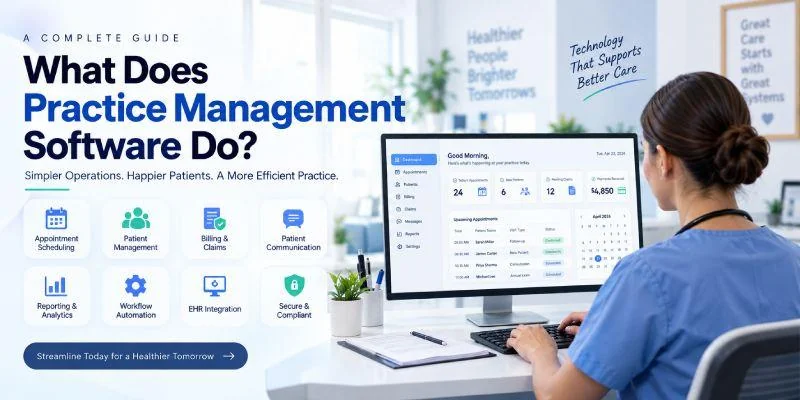
What Is Practice Management Software?
Practice management software is a digital healthcare solution used to manage the administrative, operational, and financial activities of a medical practice or clinic.
It provides healthcare organizations with tools to manage routine activities that happen before, during, and after a patient's visit.
Depending on the system, practice management software may include:
- Patient registration
- Appointment scheduling
- Calendar management
- Patient check in
- Insurance verification
- Medical billing
- Claims management
- Payment processing
- Patient statements
- Patient communication
- Appointment reminders
- Patient portals
- Staff management
- Reporting and analytics
- Document management
- Multi location management
- Financial management
- Workflow automation
- Integration with EHR and EMR systems
- Telehealth integration
Instead of using separate tools for every administrative task, a practice can use a centralized platform to connect several processes.
For example, when a new patient books an appointment, the practice management system can store the appointment information, capture patient details, send a reminder, support digital check in, and later connect relevant information with billing workflows.
That connected workflow is one of the main reasons healthcare practices use practice management software.
What Does Practice Management Software Do?
Practice management software manages many of the activities required to operate a healthcare practice.
Its functions can generally be divided into five major areas:
- Patient administration
- Appointment and scheduling management
- Financial and billing management
- Communication and engagement
- Reporting, automation, and operational management
Let's look at each area in detail.
1. Manages Patient Registration
Patient registration is usually one of the first administrative interactions between a healthcare organization and a patient.
Traditional registration often involves paper forms, manual data entry, and repeated verification of patient information.
Practice management software can digitize this process.
Patients may be able to enter information through digital registration forms, while authorized staff can review and manage the submitted information.
Depending on the system, registration may include:
- Patient name
- Date of birth
- Contact information
- Address
- Insurance information
- Emergency contact
- Identification information
- Communication preferences
- Demographic information
- Administrative documents
Once the information is stored in the system, staff do not necessarily need to collect the same information repeatedly.
This can help create a smoother administrative workflow from the first interaction with the practice.
2. Handles Appointment Scheduling
Appointment scheduling is one of the most important functions of practice management software.
A healthcare practice may have several doctors, departments, appointment types, rooms, locations, and working hours.
Managing all of this manually can quickly become complicated.
A practice management system provides a centralized scheduling environment where staff can manage appointments according to provider availability and practice rules.
Common scheduling features include:
- New appointment booking
- Online appointment scheduling
- Appointment cancellation
- Appointment rescheduling
- Recurring appointments
- Provider calendars
- Department calendars
- Room scheduling
- Waiting lists
- Appointment types
- Availability management
- Appointment reminders
For example, if a clinic has five doctors working different schedules, the front desk team can view their availability through a centralized calendar.
This makes it easier to identify available appointment slots and avoid unnecessary scheduling conflicts.
3. Supports Online Appointment Booking
Modern patients often expect healthcare services to be accessible online.
Instead of calling the reception desk during working hours, patients may prefer to schedule appointments through a website or patient portal.
Practice management software can support online appointment booking when this feature is available.
Patients may be able to:
- Select a healthcare provider
- Choose a service
- View available time slots
- Select an appointment time
- Enter or confirm their information
- Receive an appointment confirmation
This reduces the number of routine scheduling requests handled manually by reception staff.
It can also give patients more control over when they want to schedule a visit.
4. Sends Appointment Reminders
Missed appointments can create operational problems for healthcare practices.
A patient who forgets an appointment may leave an unused time slot that could otherwise have been available to another patient.
Practice management software can automate appointment reminders through channels such as:
- SMS
- Patient portal notifications
- Mobile notifications
A reminder may include the appointment date, time, provider, location, and instructions.
Some systems may also allow patients to confirm or reschedule appointments directly.
Automation makes this process more consistent because staff do not need to contact every patient manually.
5. Helps With Patient Check In
Patient check in is another area where practice management software can reduce administrative work.
Instead of completing paper forms at reception, patients may be able to complete registration details digitally before or during their visit.
Depending on the system, digital check in can support:
- Patient identification
- Demographic verification
- Insurance information
- Consent forms
- Contact information
- Appointment confirmation
- Administrative questionnaires
Once the information is submitted, staff can review it before the consultation.
This can reduce paperwork and help the front desk maintain a more organized patient flow.
Also read: How to Choose Practice Management Software for a Multi-Specialty Clinic: A Complete Guide
6. Supports Insurance Verification
Insurance administration can be one of the more complex parts of healthcare operations.
Before a service is provided, staff may need to confirm whether a patient's insurance is active and whether specific services are covered.
Practice management software can help organize insurance information and, where supported, connect with eligibility verification services.
It may help manage:
- Insurance provider
- Policy number
- Member information
- Eligibility status
- Coverage information
- Authorization details
- Patient responsibility
- Claim information
Early identification of incorrect or incomplete insurance information can help prevent avoidable billing problems later.
7. Manages Medical Billing
Medical billing is a core financial process for many healthcare practices.
After a patient receives a service, the practice needs to record the appropriate charges and manage the payment process.
Practice management software can help staff manage billing activities from a centralized system.
Depending on the platform, billing features may include:
- Charge entry
- Invoice generation
- Fee schedules
- Patient statements
- Payment recording
- Outstanding balance tracking
- Accounts receivable
- Payment reminders
- Financial reports
- Electronic payments
A centralized billing system makes it easier for staff to understand which services have been billed, which payments have been received, and which balances remain outstanding.
8. Manages Insurance Claims
For practices that work with insurance providers, claims management is an important part of the revenue cycle.
A typical claim workflow may involve:
Patient Information → Insurance Verification → Service → Charge Entry → Claim Creation → Claim Submission → Claim Processing → Payment Posting → Follow Up
Practice management software can support several steps in this process.
Depending on the software, staff may be able to:
- Prepare claims
- Submit claims electronically
- Track claim status
- Identify rejected claims
- Manage denied claims
- Record insurance payments
- Track outstanding balances
- Monitor accounts receivable
The exact functionality depends on the software, payer connections, and healthcare market.
9. Processes Patient Payments
Healthcare practices need reliable ways to collect payments from patients.
Patients may have co payments, deductibles, self pay balances, or other financial responsibilities.
Practice management software can support different payment methods and help staff keep track of outstanding amounts.
Possible features include:
- Online payments
- Card payments
- Payment links
- Digital statements
- Payment reminders
- Payment plans
- In office payments
- Automated payment recording
A patient portal may also allow patients to view their balance and make payments without calling the practice.
10. Manages Patient Communication
Patient communication is not limited to appointment reminders.
Healthcare practices regularly need to communicate with patients about administrative matters.
Practice management software can support communication related to:
- Appointment confirmations
- Appointment reminders
- Cancellations
- Rescheduling
- Follow up visits
- Billing
- Payments
- Registration
- Practice announcements
- Administrative instructions
Automated communication can reduce repetitive work for administrative teams while helping patients receive important information on time.
11. Provides a Patient Portal
A patient portal gives patients digital access to selected healthcare and administrative services.
Depending on the system, patients may be able to:
- Book appointments
- Request appointments
- Complete forms
- Update personal information
- View bills
- Make payments
- Receive messages
- View selected documents
- Complete digital check in
A patient portal can therefore act as an extension of the practice's front desk.
Instead of requiring staff involvement for every simple administrative request, patients can complete certain tasks independently.
12. Creates Reports and Analytics
Practice managers need more than individual patient records to understand how a healthcare organization is performing.
They also need operational and financial information.
Practice management software can collect information from daily activities and turn it into reports.
Reports may cover:
- Number of appointments
- Appointment cancellations
- No show rates
- Patient volume
- Revenue
- Payments
- Outstanding balances
- Claims
- Denials
- Accounts receivable
- Provider schedules
- Location performance
- Financial trends
For example, if a practice notices a high cancellation rate for a particular appointment type, management can investigate the reason and adjust the scheduling process.
Reports can therefore help transform day to day operational data into useful management information.
13. Helps Manage Staff Schedules
Healthcare practices often have multiple employees working different shifts.
Practice management software can help organize provider and staff schedules.
Depending on the platform, managers may be able to manage:
- Working hours
- Provider availability
- Leave schedules
- Appointment slots
- Department schedules
- Location assignments
- Room availability
Centralized scheduling can make it easier to understand who is available and when.
14. Supports Multiple Healthcare Locations
A growing healthcare organization may eventually operate several clinics or branches.
Managing every location separately can make it difficult to maintain consistent processes.
A practice management system with multi location support can centralize important information while still allowing management to review individual locations.
It may support:
- Location based scheduling
- Provider management
- Patient management
- Billing
- Staff management
- Reporting
- Appointment tracking
- Financial monitoring
For example, a healthcare organization with clinics in several cities may be able to use one system to manage administrative operations across those locations.
15. Automates Repetitive Administrative Work
One of the biggest advantages of practice management software is automation.
Healthcare employees perform many repetitive tasks every day.
Examples include:
- Sending appointment reminders
- Confirming appointments
- Sending payment reminders
- Generating invoices
- Updating appointment statuses
- Creating routine reports
- Sending administrative notifications
- Tracking outstanding balances
Automating repetitive tasks can reduce manual workload.
However, automation does not mean removing people from the process.
Healthcare staff still need to handle situations that require judgment, communication, problem solving, and personal interaction.
The purpose of automation is to reduce unnecessary repetitive work.
16. Connects With EHR and EMR Systems
A healthcare practice may use different systems for different purposes.
Practice management software can often integrate with:
- EHR systems
- EMR systems
- Laboratory software
- Pharmacy systems
- Payment gateways
- Telehealth platforms
- Accounting systems
- Patient communication platforms
- Insurance systems
- Analytics tools
Integration can help reduce duplicate data entry.
For example, when appointment information is connected between practice management software and an EHR, staff may not have to manually enter the same appointment information in both systems.
This creates a more connected healthcare technology environment.
17. Helps With Document Management
Healthcare practices deal with many administrative documents.
These may include:
- Registration forms
- Consent forms
- Insurance documents
- Referral documents
- Billing documents
- Administrative forms
- Patient communications
Depending on the platform, practice management software can help organize these documents digitally.
Centralized document management can make it easier for authorized staff to locate relevant information when required.
18. Supports Financial Reporting
Financial visibility is important for practice management.
A healthcare organization needs to understand not only how many patients it sees but also how its financial operations are performing.
A PMS can provide financial information related to:
- Revenue
- Payments
- Outstanding balances
- Insurance payments
- Patient payments
- Claims
- Refunds
- Accounts receivable
This can help practice managers identify financial trends and areas that require attention.
19. Improves Administrative Workflow
The real value of practice management software is not necessarily a single feature.
It is the connection between multiple features.
Consider a typical patient journey:
Registration → Appointment → Reminder → Check In → Consultation → Billing → Claim → Payment → Follow Up
Without a connected system, each step may involve different tools or manual processes.
With an integrated practice management system, information can move through the workflow more systematically.
This reduces unnecessary duplication and gives staff better visibility into the patient's administrative journey.
How Does Practice Management Software Work?
Practice management software generally works by storing and organizing administrative information in a centralized system.
A simplified workflow looks like this:
Step 1: Patient enters the system
A patient registers with the practice or books an appointment.
Step 2: Appointment is scheduled
The system records the appointment against the relevant provider, service, location, and time.
Step 3: Patient receives communication
The patient may receive confirmation and reminder notifications.
Step 4: Patient checks in
The patient completes any required registration or administrative information.
Step 5: Service is provided
The healthcare provider conducts the consultation or service.
Step 6: Charges are recorded
Relevant billing information is entered or transferred into the financial workflow.
Step 7: Claim or invoice is created
If insurance is involved, the relevant claim process begins. For self pay patients, an invoice or payment request may be generated.
Step 8: Payment is recorded
The practice records payments received from the patient or payer.
Step 9: Reports are updated
Operational and financial data becomes available for reporting and analysis.
This connected workflow is what makes practice management software more than just an appointment scheduling tool.
Practice Management Software vs EHR
Practice management software and EHR software are related but serve different primary purposes.
Practice Management Software
PMS generally focuses on:
- Scheduling
- Registration
- Billing
- Insurance
- Claims
- Payments
- Patient communication
- Administrative workflows
- Reporting
EHR Software
EHR systems primarily focus on clinical information such as:
- Medical history
- Diagnoses
- Clinical notes
- Medications
- Allergies
- Test results
- Treatment information
- Clinical documentation
Some modern healthcare platforms combine PMS and EHR functionality.
Other organizations use separate systems and connect them through integrations.
The appropriate setup depends on the practice's workflow and technology requirements.
Practice Management Software vs EMR
EMR stands for Electronic Medical Record.
An EMR generally represents a digital version of the patient's medical chart used within a healthcare organization.
Practice management software, on the other hand, focuses primarily on managing the operations surrounding the practice.
A simple way to remember the difference is:
PMS manages the practice.
EMR manages the digital medical record.
EHR supports a broader electronic health record environment and information sharing.
Modern systems may combine these functions, so organizations should evaluate actual features rather than relying only on product terminology.
Practice Management Software vs Revenue Cycle Management
Revenue Cycle Management, or RCM, focuses primarily on the financial journey associated with healthcare services.
RCM can include:
- Charge capture
- Coding workflows
- Claim submission
- Claim tracking
- Payment posting
- Denial management
- Accounts receivable
- Collections
Practice management software has a broader purpose.
It can manage scheduling, registration, communication, staff workflows, billing, reporting, and other administrative functions.
Many practice management platforms include RCM capabilities or integrate with specialized revenue cycle systems.
What Are the Benefits of Practice Management Software?
A practice management system can provide several operational benefits.
Better organization
Important administrative information can be managed through one centralized platform.
Reduced manual work
Automation can reduce repetitive administrative tasks.
Better appointment management
Centralized calendars and reminders can make scheduling easier.
Improved billing visibility
Staff can track charges, payments, claims, and outstanding balances.
Better patient communication
Patients can receive reminders, notifications, and billing information through digital channels.
Faster access to information
Authorized staff can access relevant information without searching through paper records or multiple disconnected applications.
Improved reporting
Practice managers can use operational and financial reports to understand practice performance.
Easier scalability
A suitable system can support practices as they add providers, patients, services, or locations.
Better patient convenience
Online scheduling, digital registration, portals, and payment options can make administrative interactions easier for patients.
Who Uses Practice Management Software?
Practice management software is used by different people within a healthcare organization.
Doctors
Doctors may use the system to review appointment schedules and manage administrative information associated with their practice.
Receptionists
Reception teams commonly use PMS for registration, scheduling, check in, appointment changes, and communication.
Billing teams
Billing staff use the system for charges, claims, payments, balances, and financial workflows.
Practice managers
Managers can use reports and dashboards to monitor operational and financial performance.
Patients
Patients may interact with the system through online scheduling, digital registration, patient portals, payment systems, and automated notifications.
Is Practice Management Software Useful for Small Clinics?
Yes.
A solo doctor or small clinic may use a relatively simple system for:
- Appointment scheduling
- Patient registration
- Billing
- Reminders
- Patient communication
A growing clinic may need additional functionality such as:
- Multiple providers
- Online booking
- Insurance verification
- Claims
- Patient portals
- Reporting
- Payment processing
Larger organizations may require:
- Multi location management
- Advanced integrations
- Complex billing
- Role based access
- Advanced reporting
- Interoperability
- Enterprise security
The right solution should therefore be based on the practice's actual requirements.
What Features Should Practice Management Software Have?
When evaluating a practice management system, healthcare organizations should look beyond the number of features.
Important areas to evaluate include:
Appointment management
The system should make it easy to create, change, cancel, and track appointments.
Patient registration
Digital registration should minimize unnecessary manual data entry.
Billing
Billing tools should support the practice's financial workflows.
Claims management
Practices working with insurance should check whether the platform supports the required claim workflows.
Patient communication
The system should support appropriate communication channels.
Reporting
Managers should be able to access meaningful operational and financial reports.
Integrations
The PMS should connect with important systems used by the practice.
Security
Patient and financial data should be protected using appropriate security controls.
Scalability
The platform should be capable of supporting future growth.
Usability
Staff should be able to learn and use the software without unnecessary complexity.
Support
Implementation, training, technical support, and ongoing assistance should also be considered.
Security and Privacy in Practice Management Software
Healthcare practices handle sensitive information, so security should be a major consideration when selecting practice management software.
Important security capabilities may include:
- User authentication
- Role based access
- Permission management
- Audit logs
- Data encryption
- Secure backups
- Access monitoring
- Secure communication
- Data retention controls
Compliance requirements vary by country.
For example, organizations operating in the United States may need to consider HIPAA requirements. Healthcare organizations operating in Europe may have GDPR obligations alongside applicable healthcare regulations.
Organizations should therefore evaluate the security and compliance requirements that apply to their specific location and services.
The Role of AI in Practice Management Software
Artificial intelligence is becoming increasingly relevant to healthcare administration.
AI powered practice management software can potentially support areas such as:
- Appointment optimization
- Automated communication
- Predictive analytics
- Workflow recommendations
- Administrative data processing
- Revenue analysis
- Intelligent scheduling
- Operational forecasting
For example, an intelligent scheduling system could analyze appointment patterns and identify scheduling gaps.
AI can also help identify patterns in administrative data that may not be immediately visible through manual analysis.
However, healthcare organizations should carefully evaluate how AI features work, what information they process, how outputs are reviewed, and what controls are available.
AI should support healthcare teams rather than replace professional judgment where human review is required.
Cloud Based Practice Management Software
Cloud based practice management software allows authorized users to access the platform through supported internet connected devices.
Potential benefits include:
- Remote access
- Centralized information
- Easier software updates
- Multi location accessibility
- Reduced dependence on local infrastructure
- Easier collaboration
However, cloud based does not automatically mean secure.
Healthcare organizations should evaluate:
- Data security
- Backup procedures
- System availability
- Vendor reliability
- Data ownership
- Access controls
- Compliance
- Disaster recovery
- Support services
A cloud PMS should be selected based on both functionality and the organization's security requirements.
Common Challenges Without Practice Management Software
Healthcare practices can face several challenges when administrative processes remain highly manual.
Appointment conflicts
Multiple calendars and manual scheduling can make availability difficult to track.
Duplicate data entry
Staff may have to enter the same information into multiple systems.
Paperwork
Paper forms can take time to process, store, and retrieve.
Billing delays
Manual billing workflows can slow down payment processing.
Limited visibility
Managers may struggle to understand appointment, financial, and operational performance.
Communication gaps
Patients may miss appointments or important administrative information.
Reporting difficulties
Creating reports manually can consume significant staff time.
Practice management software can address many of these challenges by bringing workflows into a connected digital environment.
How to Choose the Right Practice Management Software
There is no single PMS that is suitable for every healthcare organization.
Before selecting a system, a practice should identify its specific requirements.
Start with current problems
The practice should identify where staff currently spend the most time.
Is the biggest problem scheduling?
Billing?
Claims?
Patient communication?
Reporting?
Understanding the problem makes software selection more focused.
Map the existing workflow
The practice should document how a patient moves from registration to appointment, consultation, billing, payment, and follow up.
The software should support that workflow rather than force staff into unnecessary steps.
Check integration requirements
If the organization already uses EHR, laboratory, pharmacy, accounting, payment, or telehealth systems, integration should be considered.
Evaluate security
Security should be reviewed before implementation, especially when sensitive healthcare data is involved.
Consider scalability
A solution that works for three providers may not be sufficient for thirty providers.
Evaluate support
Implementation and training can have a significant impact on adoption.
Consider total cost
The total cost may include:
- Software subscription
- Implementation
- Data migration
- Training
- Integrations
- Support
- Additional modules
- Payment processing
- Maintenance
Looking at the complete cost provides a more realistic picture than comparing subscription prices alone.
What Is the Future of Practice Management Software?
Healthcare practice management is moving toward more connected and automated workflows.
Future systems are likely to place greater emphasis on:
- Artificial intelligence
- Predictive analytics
- Automated scheduling
- Patient self service
- Digital payments
- Mobile access
- Interoperability
- Cloud platforms
- Real time reporting
- Automated communication
- Connected EHR and PMS environments
The goal is not simply to digitize existing paperwork.
The broader objective is to create a healthcare practice where information can move efficiently between administrative, financial, and clinical systems.
As healthcare organizations become more digital, practice management software will increasingly become part of a broader healthcare technology ecosystem.
Final Thoughts
So, what does practice management software do?
Practice management software helps healthcare practices manage the operational work that keeps the organization running.
It can support patient registration, appointment scheduling, digital check in, insurance verification, medical billing, claims processing, payment collection, patient communication, reporting, staff scheduling, document management, automation, and integration with other healthcare systems.
The value of a practice management system comes from connecting these processes.
Instead of treating scheduling, billing, communication, and reporting as separate activities, a modern PMS can bring them together into a more coordinated workflow.
For small clinics, it can provide a structured way to manage everyday administrative tasks. For larger healthcare organizations, it can help coordinate providers, locations, patients, financial operations, and reporting.
The right solution depends on the organization's size, specialty, workflow, regulatory environment, technology ecosystem, budget, and growth plans.
Ultimately, practice management software should help healthcare teams spend less time dealing with fragmented administrative processes and more time focusing on the people at the center of healthcare: the patients.
1. What does practice management software do?
Practice management software manages the administrative, operational, and financial activities of a healthcare practice. It can handle scheduling, registration, billing, claims, payments, communication, reporting, and workflow automation.
2. What is practice management software?
Practice management software is a healthcare technology platform designed to manage the day to day operations of a medical practice, clinic, or outpatient healthcare organization.
3. What is the main purpose of practice management software?
The main purpose is to organize and simplify administrative and financial workflows. It helps healthcare teams manage appointments, patients, billing, claims, payments, communication, and reporting from a centralized system.
4. Does practice management software include medical billing?
Many practice management systems include medical billing functionality. Features can include charge entry, invoices, patient statements, payment processing, claims, accounts receivable, and financial reporting.
5. Can practice management software schedule appointments?
Yes. Appointment scheduling is one of the primary functions of many PMS platforms. Depending on the system, it can support online booking, provider calendars, cancellations, rescheduling, recurring appointments, and reminders.
6. Can practice management software manage insurance claims?
Many systems support insurance claim workflows, including claim preparation, submission, status tracking, payment posting, and denial management. Available functionality varies by platform and healthcare market.
7. What is the difference between practice management software and EHR?
Practice management software primarily manages administrative, operational, and financial activities. EHR software primarily manages clinical patient information. Some healthcare platforms combine both technologies.
8. Is practice management software suitable for small clinics?
Yes. Small clinics can use PMS for scheduling, registration, billing, patient communication, and reporting. The required features depend on the clinic's size and workflow.
9. Does practice management software improve patient experience?
It can. Features such as online appointment booking, digital registration, appointment reminders, patient portals, digital communication, and online payments can make administrative interactions more convenient.
10. Can practice management software automate tasks?
Yes. Many systems can automate repetitive activities such as appointment reminders, notifications, payment reminders, report generation, and selected administrative workflows.
11. Can PMS integrate with EHR software?
Many modern practice management systems can integrate with EHR platforms. Integration capabilities depend on the specific systems, APIs, standards, and vendor support.
12. Is cloud based practice management software secure?
Cloud based software can provide strong security, but security depends on the platform's architecture, controls, implementation, and vendor practices. Healthcare organizations should evaluate encryption, access controls, backups, audit logs, compliance, and data protection.
13. What is the difference between PMS and RCM software?
PMS manages broader practice operations, including scheduling, registration, communication, billing, and reporting. RCM software focuses primarily on financial workflows such as claims, payments, denials, accounts receivable, and collections.
14. Can practice management software manage multiple locations?
Many PMS platforms provide multi location functionality. These systems can help organizations manage providers, patients, appointments, billing, staff, and reports across multiple branches.
15. Does practice management software replace administrative staff?
No. The purpose of practice management software is to support staff by reducing repetitive work and organizing information. Human staff remain important for communication, decision making, problem solving, and patient support.
16. How does practice management software reduce administrative work?
It can reduce administrative workload by centralizing information, automating repetitive tasks, supporting online patient services, simplifying appointment management, and connecting financial and operational workflows.
17. What features should a practice management system have?
Important features may include appointment scheduling, patient registration, billing, claims management, payment processing, patient communication, reporting, automation, integrations, security, patient portals, and multi location support.
18. Can AI be used in practice management software?
Yes. AI can potentially support scheduling, workflow automation, predictive analytics, administrative processing, communication, and financial analysis. Healthcare organizations should evaluate AI functionality and human oversight carefully.
19. How much does practice management software cost?
Pricing varies significantly based on the number of users, providers, locations, features, integrations, implementation requirements, and pricing model. Organizations should compare total cost rather than subscription price alone.
20. How should a healthcare practice choose practice management software?
A practice should first identify its operational requirements, map its existing workflows, evaluate necessary features and integrations, assess security and compliance, consider scalability, review support options, and calculate the total cost of ownership.